

To install thread color pallette, from the top menu select Extensions > Inkstitch > thread color management > install thread color palettes for inkscape
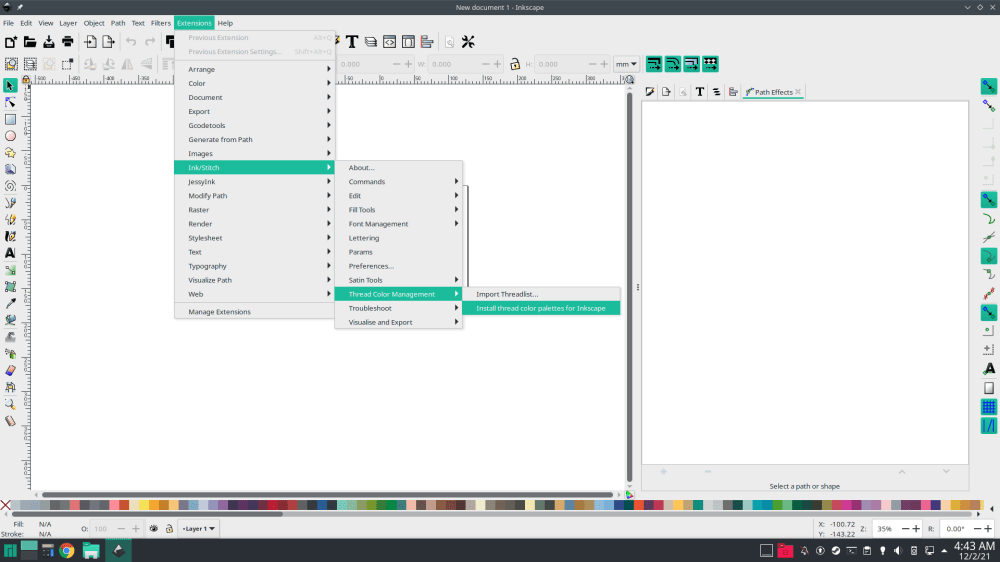
Once you have the thread palette installed, select the left pointing arrow at the right of the color chart to get a menu of inkstitch color palettes

The color palette will look like this, select the one you need and you’ll see your color chart change accordingly.

